
Serverless GPU Computing: The New Era of Accelerated Computing
- Miguel Diaz
- Dec 15, 2025
- 06 Mins read
- AI
Serverless GPU computing emerges as a natural evolution of serverless computing, bringing its advantages to the world of deep learning and artificial intelligence. The idea is simple yet powerful: allow teams to run GPU-intensive workloads without worrying about infrastructure, paying only for the resources used. This means forgetting about configuring servers, scaling clusters, or managing hidden costs, and focusing directly on what really matters: training, fine-tuning, and deploying AI models.
In this context, Databricks has recently incorporated this capability within its serverless compute offering. Currently in Beta version, the feature is designed for high-performance and customization workloads, integrating with familiar platform tools like Notebooks, MLflow, and Unity Catalog. Additionally, it offers support for NVIDIA A10 and H100 GPUs, enabling everything from medium model training to large-scale AI projects.
What is serverless GPU computing?
It’s a specialized service for training AI models with one or several GPU nodes. It allows you to develop interactively in Notebooks, leverage MLflow to register experiments, and work with A10 and H100 GPU accelerators.
- GPU A10: ideal for medium workloads or fine-tuning small language models, computer vision, and classic ML models.
- GPU H100: oriented toward large-scale training, with massive models and advanced deep learning tasks.
Additionally, it’s compatible with distributed training on multiple GPUs (A10 and H100) and multiple nodes (A10 only). All managed through the Python API for serverless GPU, which simplifies scaling without major code changes.
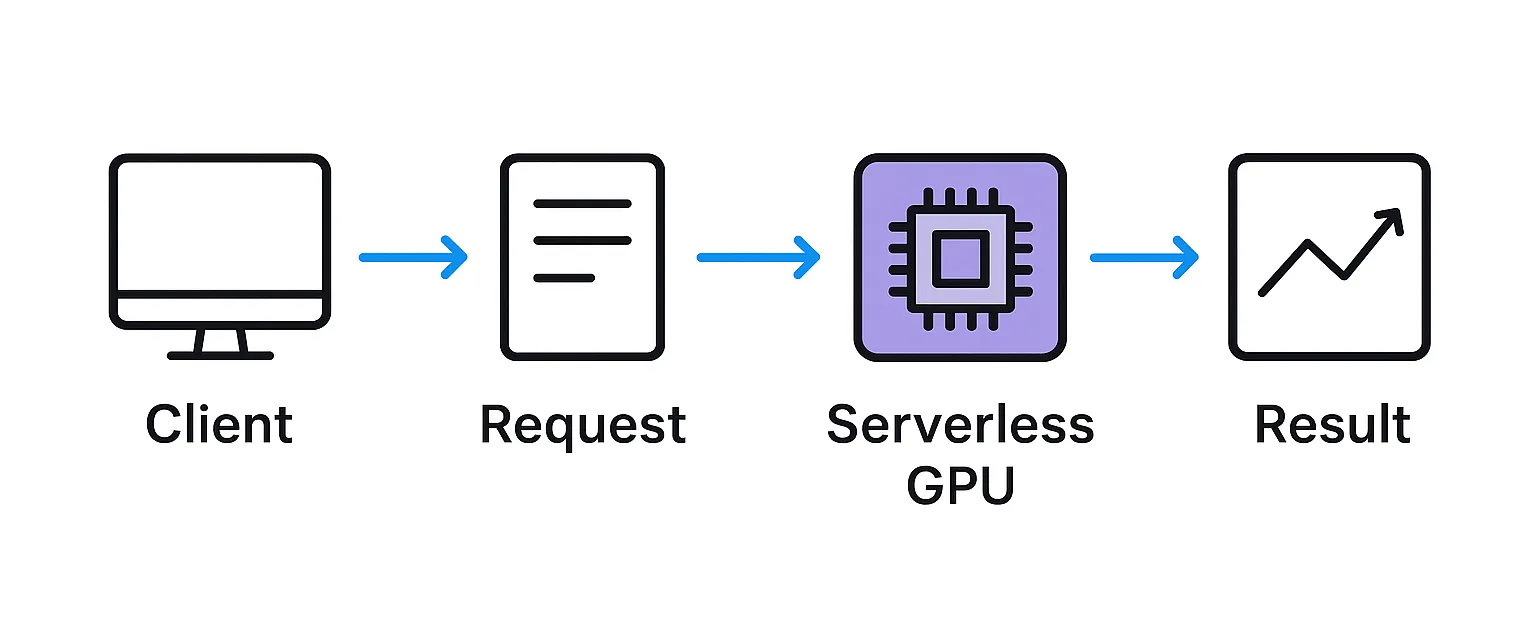
Advantages of serverless GPU computing
Using serverless GPU in Databricks brings benefits that go beyond computational performance. It’s a proposal oriented toward optimizing resources, reducing operational complexity, and accelerating the development of deep learning projects. Among its main advantages are:
| Advantage | Description |
|---|---|
| Operational simplification | Infrastructure is managed automatically, eliminating the need to provision, configure, or maintain clusters manually. |
| On-demand scalability | GPU resources adjust dynamically according to workload size and complexity, ensuring efficiency in both small experiments and large-scale training. |
| Access to advanced accelerators | Ability to use latest-generation GPUs (like A10 or H100), allowing cost and performance balance based on project requirements. |
| Integration with Databricks ecosystem | Native compatibility with Notebooks, MLflow, and Unity Catalog, facilitating model management, experiment tracking, and data governance. |
| Consistent and updated environments | Availability of controlled environment versions that ensure compatibility with libraries and frameworks, plus continuous improvements in security and performance. |
| Flexible cost model | Billing based on actual resource usage, avoiding expenses associated with inactive infrastructure and favoring budget optimization. |
Featured Use Cases
Serverless GPU computing is designed for scenarios that demand high performance and customization in model training. Among the most prominent use cases are:
LLM – Fine-tuning
Adapt large language models to specific needs or sectors.
Computer vision
From recognizing images to detecting objects in photos and videos.
Recommendation systems
Create engines that suggest products, content, or services more accurately.
Reinforcement learning
Train agents that learn to make decisions from experience.
Time series forecasting
Predict trends in data like sales, demand, or energy consumption using deep learning.
Generative models
Create content with GANs, diffusion models, and advanced generative architectures.
Step-by-step configuration
Connecting a notebook to the serverless GPU environment in Databricks is a straightforward process:
Select compute
In the clusters or compute menu, choose the serverless GPU option.
Define the environment
In the configuration panel, specify:
- GPU type: you can choose A10 (intermediate performance and moderate cost) or H100 (for large-scale workloads and high performance).
- Environment version: select the version that best fits your libraries and dependencies.
Confirm configuration
Apply the changes and start working in your notebook.
note
- Sessions automatically disconnect after 60 minutes of inactivity. - It’s
possible to install additional libraries with
pip install; however, these installations only work in interactive sessions and are not compatible with scheduled jobs.
Distributed execution with Python API
One of the main strengths of serverless GPU computing is the ability to train models in a distributed manner without having to manually manage the infrastructure.
The Python serverless_gpu API allows scaling training across multiple GPUs and even multiple nodes, maintaining a simple and familiar syntax for developers. With just a few lines of code, it’s possible to parallelize processes and efficiently leverage available resources.
Practical example
The following example distributes function execution across 8 remote A10 GPUs:
from serverless_gpu import distributed

# Decorator that defines the number and type of GPUs to use
@distributed(gpus=8, gpu_type='A10', remote=True)
def hello_world(s: str) -> None:
    print('hello_world ', s)

# Execute the function in a distributed manner
hello_world.distributed(s='abc')
After execution, results and logs will be available directly in the workspace, integrating with Databricks experiment tracking.
Current limitations
Given that serverless GPU computing is still in Beta phase, it’s important to consider certain restrictions before adopting it in production projects:
| Limitation | Description | Impact |
|---|---|---|
| Supported accelerators | Only available with A10 and H100 GPUs | Limited options according to specific needs |
| Multi-node training | H100 accelerators don’t support multi-node execution (single-node only) | Restriction for large-scale training with H100 |
| Connectivity | Not compatible with PrivateLink or regulated data processing (HIPAA, PCT) | Limited for organizations with strict compliance requirements |
| Usage scope | Works only in interactive environments | Not available for automated production pipelines |
| Scheduled jobs | Limited to a single task and without automatic recovery mechanisms in case of library incompatibilities | Less robustness for complex workflows |
warning
Carefully evaluate these limitations according to your specific requirements. For critical production use cases, consider maintaining backup options until the functionality reaches general availability (GA).
Best practices
To make the most of serverless GPU computing and avoid common errors, follow these recommendations:
-
Environment compatibility: Validate that libraries and dependencies are compatible with the selected environment version.
-
Checkpoint management: Save checkpoints in DBFS and verify them early (for example, every 50 steps instead of waiting for a complete epoch).
-
MLflow logging: Adjust the
logging_stepsparameter to avoid exceeding the metrics limit (1M). -
Multi-node training: Configure retries or longer wait times to prevent synchronization errors between nodes.
Practical example with Transformers
The following snippet shows how to configure a quick test training, useful for validating both MLflow logging and checkpoint creation:
from transformers import TrainingArguments

training_args = TrainingArguments(
    # Output path in DBFS
    output_dir="/Volumes/catalog/schema/vol/model",
    # Logging strategy
    logging_strategy="steps",
    logging_steps=10,   # avoids exceeding metrics limit
    # Save strategy
    save_strategy="steps",
    save_steps=100,     # early checkpoints for verification
    # Short execution for testing
    max_steps=200,
)
This type of quick configuration is especially useful for validating infrastructure and environment before launching a complete training.
Conclusion
Serverless GPU computing in Databricks promises to democratize access to high-performance resources for AI. While it still has limitations (inherent to Beta), it’s already a very interesting alternative for teams that want to train advanced models without worrying about infrastructure.
tip
💡 Start by testing with example notebooks and medium workloads on A10, then scale to H100 if your project requires it.