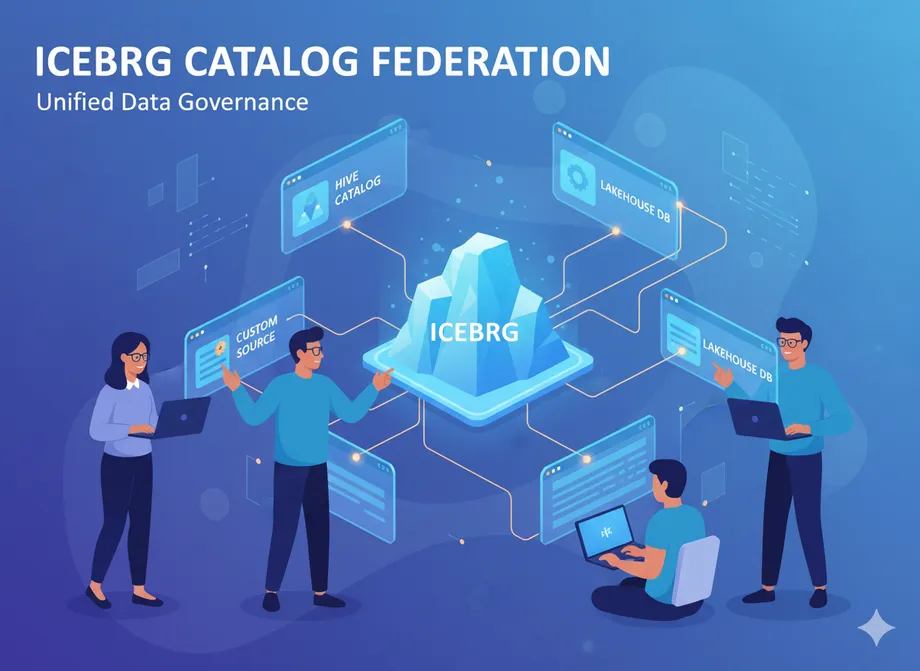
Iceberg Catalog Federation
- Miguel Diaz
- Mar 02, 2026
- 05 Mins read
- Databricks
In complex enterprise environments, data rarely lives in a single system. Modern organizations have information distributed across Databricks, Snowflake, AWS Glue, and other specialized catalogs. Traditionally, to create analytics that combine these sources, teams have had to duplicate data across systems (expensive and prone to inconsistencies) or create complex ETL pipelines to synchronize information (slow and difficult to maintain).
Apache Iceberg catalog federation solves this problem by allowing queries to distributed tables across multiple catalogs as if they were a unified system, without needing to copy or move data. This capability eliminates unnecessary data duplication and enables truly integrated analytics by directly accessing data where it’s stored.
What is Iceberg Catalog Federation?
Catalog federation in Apache Iceberg allows multiple catalogs containing Iceberg tables to work in a coordinated manner through the REST Catalog Protocol. This standard protocol acts as a common API that enables engines like Spark, Trino, or Flink to access Iceberg tables stored in different catalogs (AWS Glue, Databricks Unity Catalog, Snowflake, Nessie) as if they were a single system.
The key is that Iceberg uses a standardized metadata format and the REST protocol to coordinate operations between catalogs. This means that a query can simultaneously access Iceberg tables in Databricks and Snowflake, leveraging the native capabilities of each system while maintaining the transactional consistency and schema evolution that characterize Iceberg.
How Does Iceberg Catalog Federation Work?
Iceberg catalog federation operates through an intelligent flow that optimizes access to distributed data:
🔍 Intelligent Discovery
Unity Catalog automatically detects that the queried table resides in an external federated catalog (like Snowflake) during query planning.
📋 Metadata Negotiation
Databricks queries the external system to verify it’s an Iceberg table and obtain the location of metadata.json and data files.
⚡ Optimized Direct Access
Instead of sending the complete query to the external system, Databricks reads directly from storage (S3, Azure, GCS) using local compute.
🔄 Automatic Fallback
If the table doesn’t meet criteria for direct access, the system automatically falls back to traditional federation via JDBC as backup.
This hybrid approach combines the flexibility of accessing multiple catalogs with the efficiency of reading directly from storage, avoiding costly data transfers between systems.
Practical Implementation: Databricks and Snowflake
To fully understand Iceberg Catalog Federation, let’s imagine a company with data distributed across two independent Iceberg catalogs that need to work together.
The Problem to Solve
Company XYZ has:
- Databricks (Unity Catalog): Iceberg tables with real-time transactional data
- Snowflake (Horizon Catalog): Iceberg tables with historical data and predictive analytics
- Need: Queries that combine both datasets without duplicating information
💡 The Solution: Iceberg Catalog Federation
Step 1: Configuration Fundamentals
-- Why External Location?
-- Iceberg stores data in storage (S3/Azure/GCS) + metadata in catalogs
-- For federation, Unity Catalog needs direct access to shared storage
CREATE EXTERNAL LOCATION snowflake_iceberg_storage
URL 's3://company-xyz-iceberg/snowflake-tables/'
WITH (STORAGE CREDENTIAL iceberg_access_credential);
🔍 What’s happening here?
- Iceberg Catalog Federation requires both catalogs to access the same file storage
- Unity Catalog needs permissions to read the Parquet files where Snowflake stores Iceberg tables
- This isn’t just a connection - it’s direct access to the shared Iceberg format
Step 2: Establish Communication Channel Between Catalogs
-- Specialized connection for Iceberg Catalog Federation
CREATE CONNECTION snowflake_iceberg_catalog
TYPE SNOWFLAKE
OPTIONS (
  host 'company-xyz.snowflakecomputing.com',
  port '443',
  user 'databricks_user',
  warehouse 'ANALYTICS_WH'          -- Only for metadata queries
)
WITH CREDENTIAL oauth_iceberg_federation;
🔍 What’s happening here?
- This connection is NOT for transferring data - it’s for coordinating Iceberg metadata
- Snowflake will tell Unity Catalog: “This table is in Iceberg format, here are its metadata”
- REST Catalog Protocol allows both catalogs to “speak the same Iceberg language”
Step 3: Create the Federated Catalog (Here’s where the magic happens!)
-- Official registration of external catalog in the federated ecosystem
CREATE FOREIGN CATALOG snowflake_iceberg_federated
USING CONNECTION snowflake_iceberg_catalog
OPTIONS (
  database 'ICEBERG_CATALOG',
  storage_location 's3://company-xyz-iceberg/snowflake-tables/',
  authorized_paths 's3://company-xyz-iceberg/snowflake-tables/'
);
🔍 What’s happening here?
- Unity Catalog now “knows” that another federated Iceberg catalog exists
snowflake_iceberg_federatedbecomes a valid namespace in Unity Catalog- Snowflake’s Iceberg tables appear as if they were local in Databricks
Step 4: The Federated Query - Where You See the Power
-- One query, multiple Iceberg catalogs!
SELECT
    -- Real-time data from Unity Catalog
    txn.transaction_id,
    txn.customer_id,
    txn.amount,
    txn.transaction_timestamp,

    -- Historical data from Snowflake Catalog (federated)
    hist.customer_ltv,
    hist.risk_score,
    hist.predicted_churn_probability

FROM main.realtime.transactions txn              -- Iceberg table in Unity Catalog
INNER JOIN snowflake_iceberg_federated.analytics.customer_history hist  -- Iceberg table in Snowflake
    ON txn.customer_id = hist.customer_id

WHERE txn.transaction_timestamp >= CURRENT_TIMESTAMP() - INTERVAL 1 HOUR
    AND hist.risk_score < 0.3;
Iceberg Catalog Federation Execution Flow
Phase 1: Intelligent Catalog Discovery
Unity Catalog analyzes: "snowflake_iceberg_federated.analytics.customer_history?"
→ Detects: "It's an Iceberg table in federated catalog"
→ Activates: Iceberg federation protocol
Phase 2: Iceberg Metadata Negotiation
Unity Catalog → Snowflake: "Give me metadata for customer_history Iceberg table"
Snowflake → Unity Catalog: "Here's metadata.json location + Iceberg schema"
Unity Catalog: "Perfect, it's compatible - proceeding with direct access"
Phase 3: Direct Access to Iceberg Format
Unity Catalog reads DIRECTLY:
- metadata.json from Snowflake's Iceberg table
- manifest-list.json to get active files
- Specific Parquet files according to query filters
- Everything using standard Iceberg format (no conversions!)
Phase 4: Unified Execution in Databricks
Databricks Compute processes:
- Local Iceberg table: main.realtime.transactions
- Remote Iceberg table: customer_history (read from Snowflake's S3)
- Optimized JOIN using statistics from both Iceberg tables
- Result: One query, two catalogs, unified Iceberg format
The Result: Truly Federated Iceberg Catalogs
What we just accomplished:
- Zero data duplication: Data remains in its original location
- Unified format: Both tables speak “native Iceberg”
- Optimized performance: Direct file access, no data transfer
- Total transparency: Federation is invisible to the end user
info
Both systems understand the standard Iceberg metadata format, enabling intelligent coordination between distributed catalogs without losing the native advantages of each platform.
Featured Use Cases
Companies selectively migrate workloads from Snowflake to Databricks while maintaining access to historical data without costly duplication.
Cross-Platform Analytics
Data science teams access data distributed across multiple systems using unified Databricks tools.
Different departments maintain specialized catalogs while enabling integrated corporate analytics.
Conclusion
Iceberg Catalog Federation revolutionarily transforms distributed data management. Organizations no longer need to choose between costly data duplication or maintaining isolated silos. With Iceberg’s standard metadata format as a “common language,” multiple specialized catalogs work as a unified system, enabling gradual modernization, cost optimization, and cross-platform analytics without complex ETL. The future of enterprise data is distributed, and this technology lays the foundation for ecosystems where physical location becomes transparent.
tip
To implement Iceberg Catalog Federation in your organization, start with a low-risk pilot use case, establishing federation between two catalogs with non-critical datasets to validate configuration and performance before full rollout.